PHP Vulnerability: Emergency Security Patch Fixes Two Critical Flaws
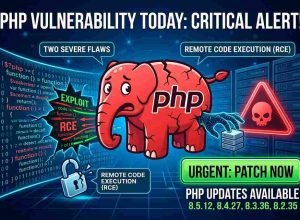
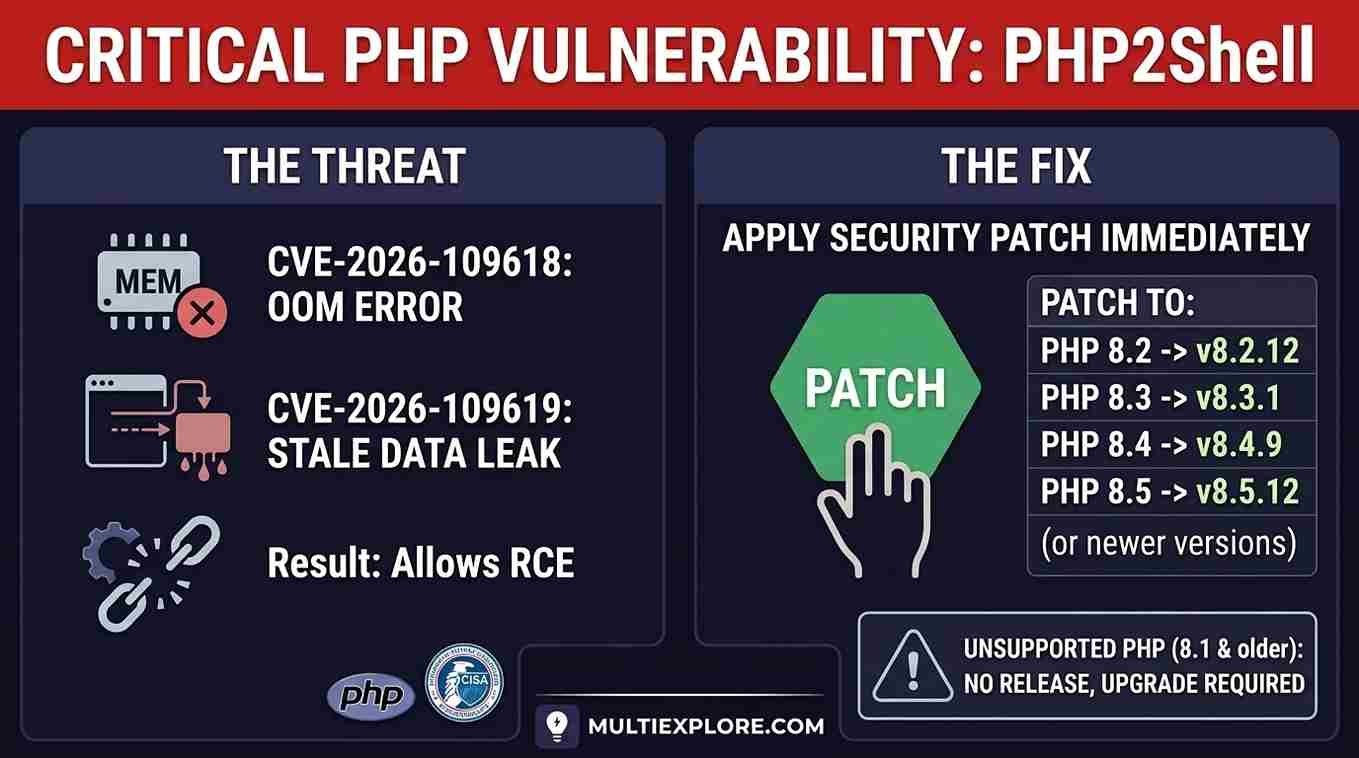
A big PHP vulnerability put lots of sites at risk. The flaws have a name. It is PHP2Shell. They have two IDs. These are CVE-2026-109618 and CVE-2026-109619. Both are critical.
PHP shipped an emergency security patch on October 21, 2026. This emergency PHP update is a website security update. So, act now. Hackers use these flaws. In fact, the US added them to its attack list on October 26.
This guide is for site owners. It helps WordPress users too. First, you will see what went wrong. Then, you will learn how to fix it.
What Is the PHP2Shell Vulnerability?
PHP is a code language. It runs lots of sites. Blogs need it. So do web shops and apps.
PHP2Shell is two bugs inside PHP. Both let a bad actor run code on your host. He needs no login. Pros call this remote code execution.
| Flaw | What goes wrong | Severity |
|---|---|---|
| CVE-2026-109618 | A memory error during request cleanup | Critical |
| CVE-2026-109619 | Old request data gets reused later | Critical |
So, both bugs score 9.2 of 10. PHP says each setup that runs web pages is at risk. That means PHP-FPM, Apache mod_php, php-cgi, FrankenPHP, and LiteSpeed.
Also, the bugs are old. Lots of firms say they hit PHP 5.4 and up.
How Were the PHP Vulnerabilities Found?
AI helped find them. Calif is a security firm. It used GPT-5.6 Sol. That is an OpenAI model. The work was part of Patch the Planet. That is an OpenAI program. Calif found one bug in August.
Also, Wiz found both bugs by itself. It used Google’s Gemini 4 Argon. It used its own tool too. PHP thanks Calif, Wiz, and OpenAI.
But AI did not fix a thing. Pros still tested each bug. The PHP team wrote the patch.
Which PHP Versions Are Affected?
PHP fixed four live branches.
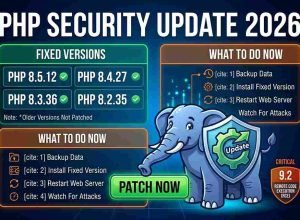
| PHP branch | First fixed build |
|---|---|
| PHP 8.5 | 8.5.12 |
| PHP 8.4 | 8.4.27 |
| PHP 8.3 | 8.3.36 |
| PHP 8.2 | 8.2.35 |
But PHP 8.2 gets only safety fixes now. That ends on December 31, 2026.
PHP 8.1, 8.0, and 7.4 are dead. PHP did post small code fixes for them. But PHP says they are not full fixes. Also, there are no real builds.
Some Linux firms and hosts make fixed packages. So, ask your host.
Is My Website Vulnerable?
It may be. First, check your PHP version. Then, match it to the table above.
You are at risk if two things hold. First, your build is too old. Second, no fixed package covers it.
How to Check My PHP Version
You have three ways.
Way 1: Use WordPress
- Log in to your dash.
- Click Tools.
- Pick Site Health.
- Click the Info tab.
- Open the Server box.
- Find the PHP line.
Way 2: Use your host
Most hosts show it on a page. Look for PHP Manager, MultiPHP Manager, or PHP Configuration.
Way 3: Use the server
Pros can type:
php -v
But this shows the command-line build. Your site may use a new one. So, check PHP-FPM too.
How to Update PHP on WordPress Safely
A PHP fix is vital. Still, a rushed move can break things. These steps cut the risk.
Step 1: Make a full backup. Save your files and data. Also, keep a copy off site.
Step 2: Check your add-ons and themes. Old ones may break on new PHP. Fix them first. If you can, test on a copy.
Step 3: Open your host page. Find the PHP menu. Pick a fixed build, like 8.4.27 or newer.
Step 4: Apply the change. Do what your host says. If you are stuck, ask support.
Step 5: Test your site. Check these:
- Your home page.
- Your login.
- Your forms.
- Your checkout.
- Your add-ons.
- Your error logs.
Then, make sure the web build is fixed.
Should You Take Your Site Offline?
Not always. If you can fix it today, stay on. That is best for most.
But some groups were firm. They said to go off the web if you cannot fix it. So, if you have no fix, use a pause page.
A site shield can help. But it is not a patch. You still need the fix.
Why WordPress Owners Should Care
WordPress runs on PHP. So, this bug hits your whole site.
A site update will not stop it. A new theme will not stop it. A shield add-on will not stop it. In short, only a PHP fix will.
Also, one host may run a lot of PHP builds. So, check each site you own.
One More PHP Issue to Know
On October 23, PHP shared a new warning. It is CVE-2026-115560. It needs a rare mix. Still, it does not undo the October 21 fixes. So, keep your fixed build.
FAQ
How do I know if my site is affected?
Check your PHP build. Then, match it to the table above. Your host may have a fixed package.
How do I update PHP safely?
First, make a backup. Next, test your add-ons and themes. Then, pick a fixed PHP build. Last, test it.
Should I take my site offline during a patch?
Not always. Fix it fast and stay on if you can. But if you cannot, ask your host for a plan.
Conclusion
The PHP vulnerability is serious. PHP2Shell lets bad actors run code with no login. Attacks are real. This website security update is a must. So, act fast.
AI helped find these bugs. Still, people checked them and wrote the patch. In short, the steps are easy. First, find your PHP build. Next, install a fixed one. Last, check each site you run.